
The best Photoshop filters, ranked.
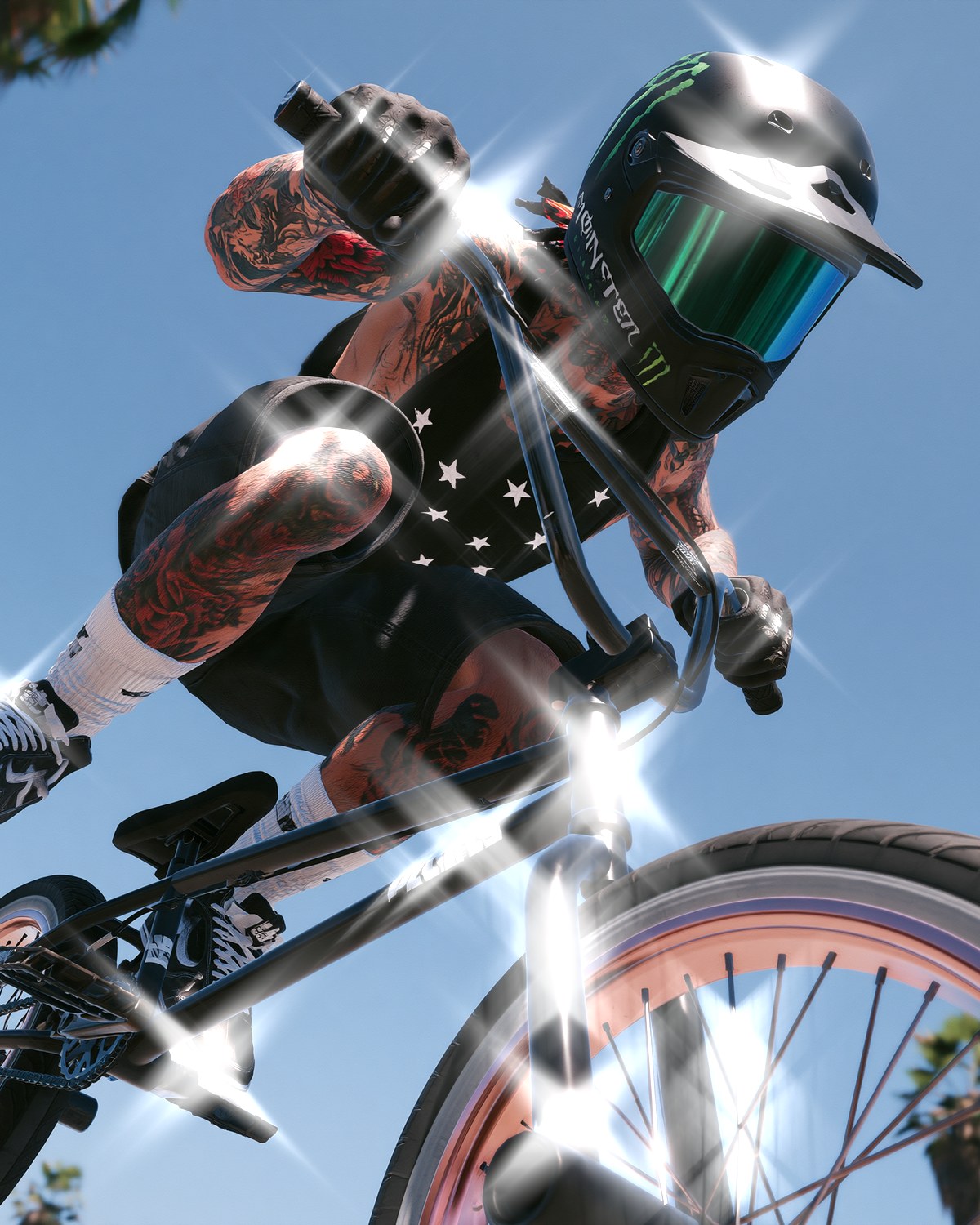
43 filters for Photoshop that do what the built-in ones can't: print, screen, glitch and drawing looks, plus nine background generators. Each comes with presets, a live preview and settings you can push. They all live in one plugin, so you install once and get the lot.

Quick picks.


How we picked.
Every filter here was judged on the same things: does it make a look Photoshop can't make on its own, does it work on a real photo straight from a preset, and can you push it far past the preset without it falling apart. The order is roughly how often designers reach for each look.
All 43 are part of Filter Archive, a single plugin for Photoshop 2024 or newer on Mac and Windows. The same filters also run in Affinity and Figma on the same licence. Each entry links to a page with eight examples, the presets and the settings worth touching.

Halftone Effect
Dual Halftone filter · 4 presets · Photoshop, Affinity, Figma
Best for Posters, zines and album art
The classic print look, done with two screens at once: lines in the shadows, dots in the highlights. Pick the inks and paper and it reads as a real two-color print rather than a dot pattern laid over a photo.

Dither Effect
Bitmap filter · 9 presets · Photoshop, Affinity, Figma
Best for Pixel art, 1-bit and retro game graphics
Thirty dithering algorithms and palettes from handheld-console green to 1-bit Mac. The pixel size is set before the dither, which is what makes it look like a bitmap instead of noise.

CRT Effect
CRT filter · 14 presets · Photoshop, Affinity, Figma
Best for Old TV and monitor looks for tech and gaming visuals
A real RGB phosphor mask with scan lines, bloom and a curved glass face, plus stranger modes that shred the picture into scan lines and terminal blocks. Fourteen presets.

VHS Effect
VHS Tape filter · 3 presets · Photoshop, Affinity, Figma
Best for 80s and 90s tape stills and music video frames
Built from a real tape signal chain, so color smears and arrives late while the brightness stays sharp, the way an actual cassette looks. Tracking loss and dropouts included.

Thermal Camera Effect
Thermal filter · 6 presets · Photoshop, Affinity, Figma
Best for Heat-map portraits, rave and club flyers
Reads the shape of the subject rather than just its brightness, so heat hugs the silhouette like a real thermal camera. Six palettes, ironbow to cold body.

ASCII Art Effect
ASCII filter · 3 presets · Photoshop, Affinity, Figma
Best for Terminal, code and hacker aesthetics
Rebuilds the photo from characters, with sets from classic ASCII to blocks, strokes and binary. Set the ink and ground colors for green-on-black or ink-on-paper.

Datamosh Effect
Datamosh filter · 5 presets · Photoshop, Affinity, Figma
Best for Glitch art, music covers and motion-looking stills
Fakes broken video compression on a single image: blocks drag along invented motion and melt, while some stay stubbornly still.

Pixel Stretch Effect
Vibrate filter · 4 presets · Photoshop, Affinity, Figma
Best for Glitch posters and torn, streaked portraits
Cuts the picture into strips and stretches each one by its own amount, from a faint shiver to ragged, torn bands. You can paint exactly where the stretch lands.
Corrupted Image Effect
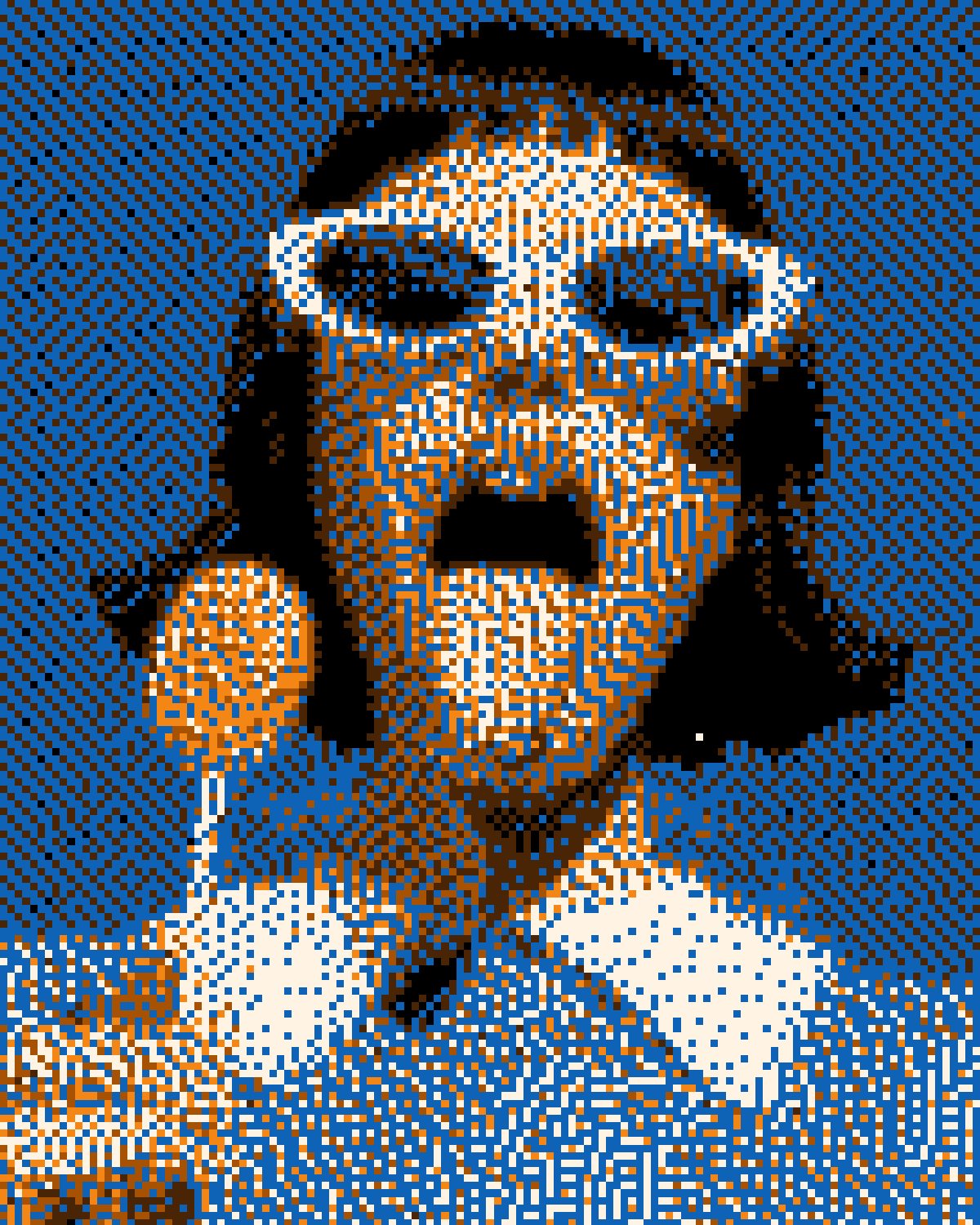
Corrupt filter · 10 presets · Photoshop, Affinity, Figma
Best for Broken-file glitch art and lo-fi covers
Pushes the photo down to a few colors and lets the process fail: dither breaking into stripes, error leaking into the blacks, smeared scanlines. Ten presets, from first signs to full meltdown.

Chromatic Aberration Effect
Chromatic Aberration filter · 3 presets · Photoshop, Affinity, Figma
Best for Fashion, editorial and RGB-split graphics
Both meanings of the name: the hard RGB split designers mean and the subtle fringing real lenses make, which grows from the centre outward.
Soft Glow Effect
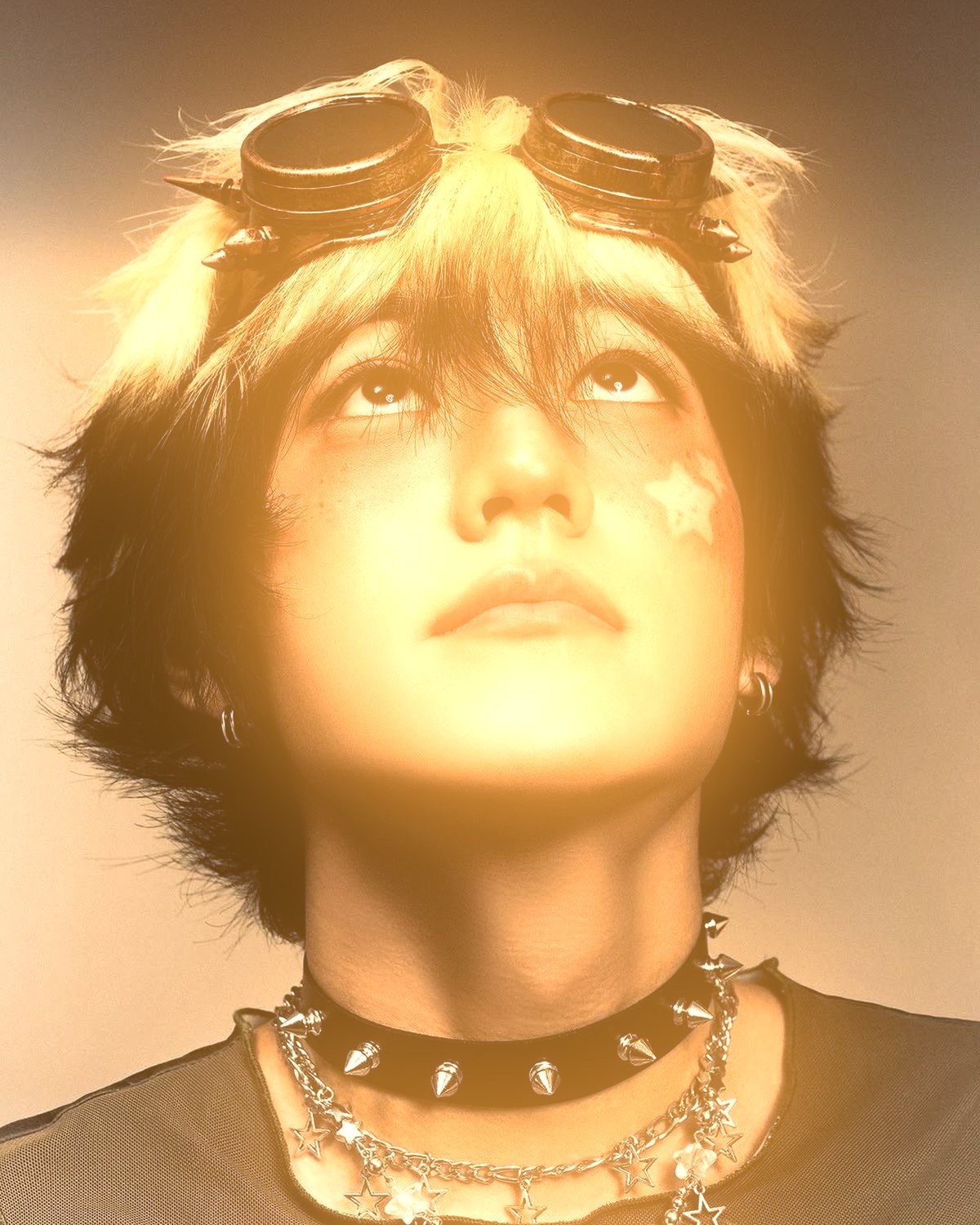
Glow Up filter · 5 presets · Photoshop, Affinity, Figma
Best for Editorial portraits, night streets and dreamy fashion shots
Softens only the highlights and wraps each light in a wide glow of its own color, so a neon sign glows in its own hue. Subtle by default, with Halo, Warm, Cool and Neon presets when you want more.

Liquid Chrome Effect
Chrome filter · 6 presets · Photoshop, Affinity, Figma
Best for Y2K chrome type, logos and metallic covers
Inflates the silhouette into liquid metal on a satin plate, with studio reflections, shaded folds and a cast shadow. Tint it gold or rose, or push the waves from a plain gloss to crushed foil.

Stipple Effect
Stipple filter · 5 presets · Photoshop, Affinity, Figma
Best for Engraved and pointillist illustration
Shades with how many marks land, not how big they are. Carry Color turns it into a pointillist color drawing.
Threshold Effect
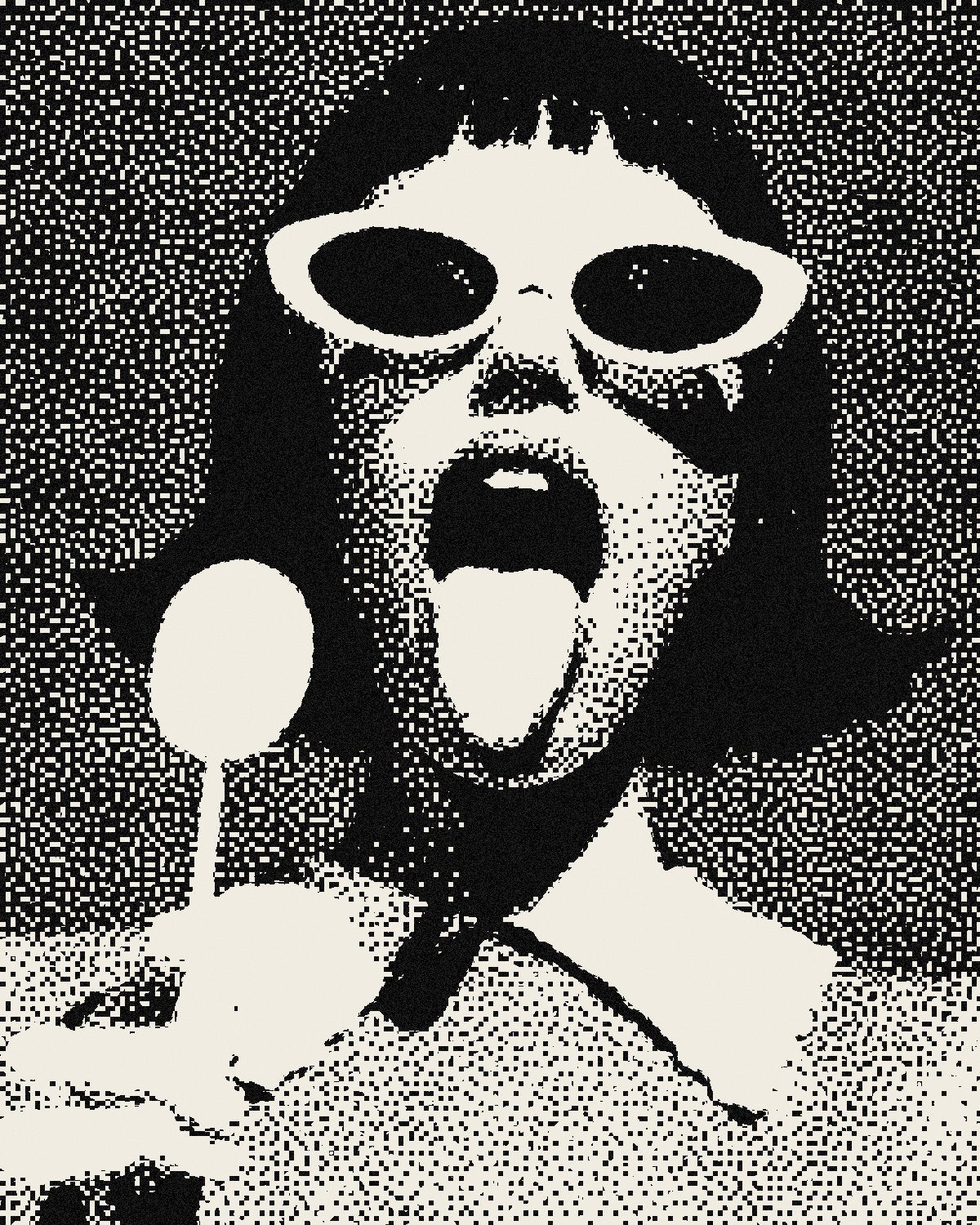
Threshold Plus filter · 3 presets · Photoshop, Affinity, Figma
Best for Stencils and bold two-tone posters
Cuts the photo to two tones and breaks the edge into toner specks, from a clean cut to a spray stencil.

Photocopy Effect
Receipt filter · 4 presets · Photoshop, Affinity, Figma
Best for Punk flyers and zine pages
Copies the page again and again, so contrast, fog and skew build up the way they really do on the twelfth generation.

Ink Drawing Effect
Edge Ink filter · 4 presets · Photoshop, Affinity, Figma
Best for Manga and comic inking from photos
Find Edges taken all the way to a finished drawing: long contours, hatching that follows the form and shadows that flood solid.

Line Art Effect
Trace filter · 4 presets · Photoshop, Affinity, Figma
Best for Single-line and contour portraits
Draws the subject as continuous lines where thickness, waver or dashes carry the tone.

Emboss Effect
Emboss filter · 6 presets · Photoshop, Affinity, Figma
Best for Letterpress, rubbings and relief
Lights the photo as a raised surface from one side, then screens and dirties it so it looks pressed rather than sharpened.

Mosaic Effect
Cell filter · 6 presets · Photoshop, Affinity, Figma
Best for Tiled abstraction and posterised portraits
Tiles that follow the detail: small on the face, big on the background, with poster, tesserae and grid fills.

Contour Line Effect
Contour Field filter · 3 presets · Photoshop, Affinity, Figma
Best for Topographic, sci-fi and data-viz looks
Wraps the subject in map-style contour rings drawn from its tones, glowing or printed.
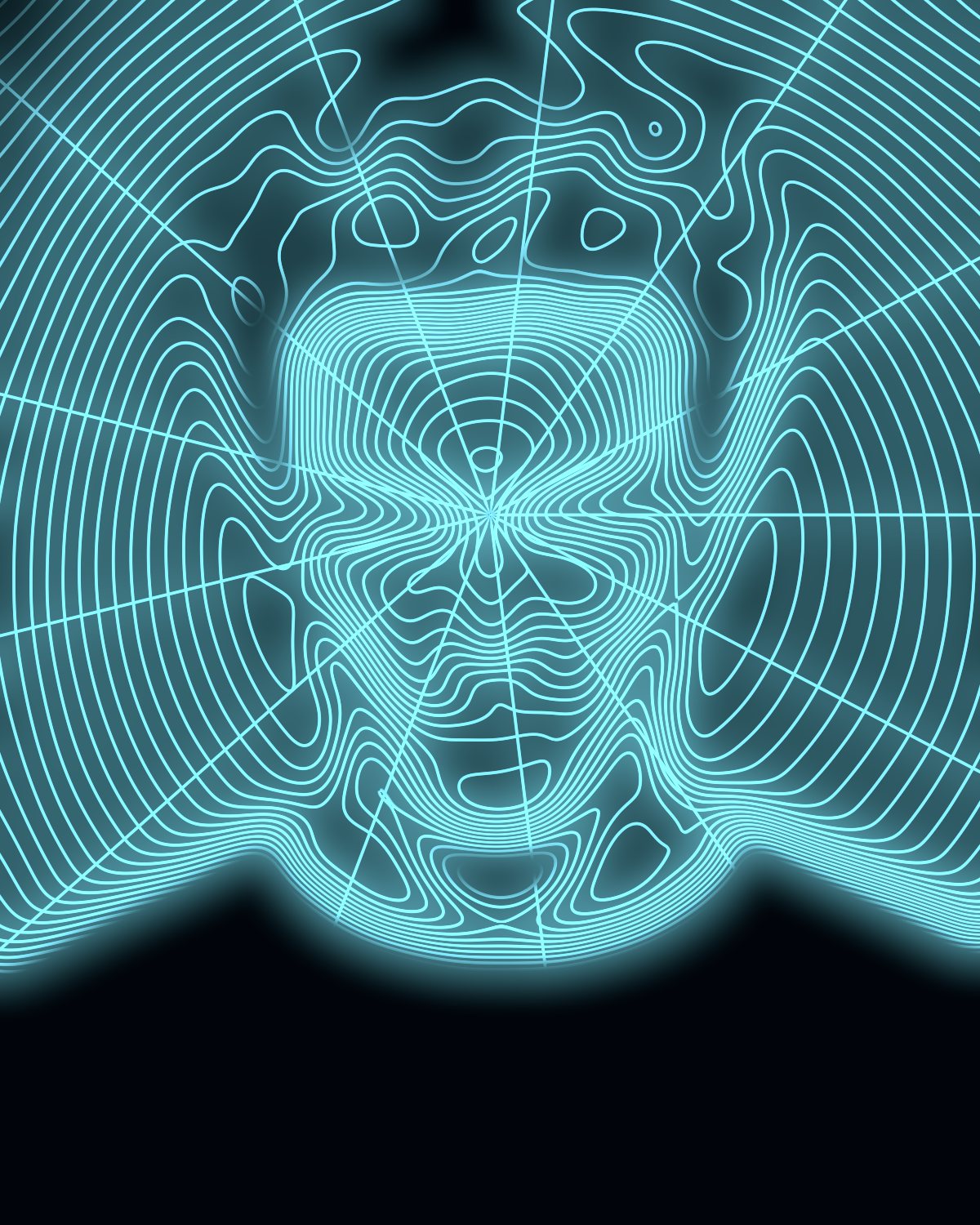
Wireframe Effect
Wireframe filter · 4 presets · Photoshop, Affinity, Figma
Best for 3D scan and cyber visuals
A mesh that crowds where the form turns away, so it reads like a body scan rather than a grid pasted on top.
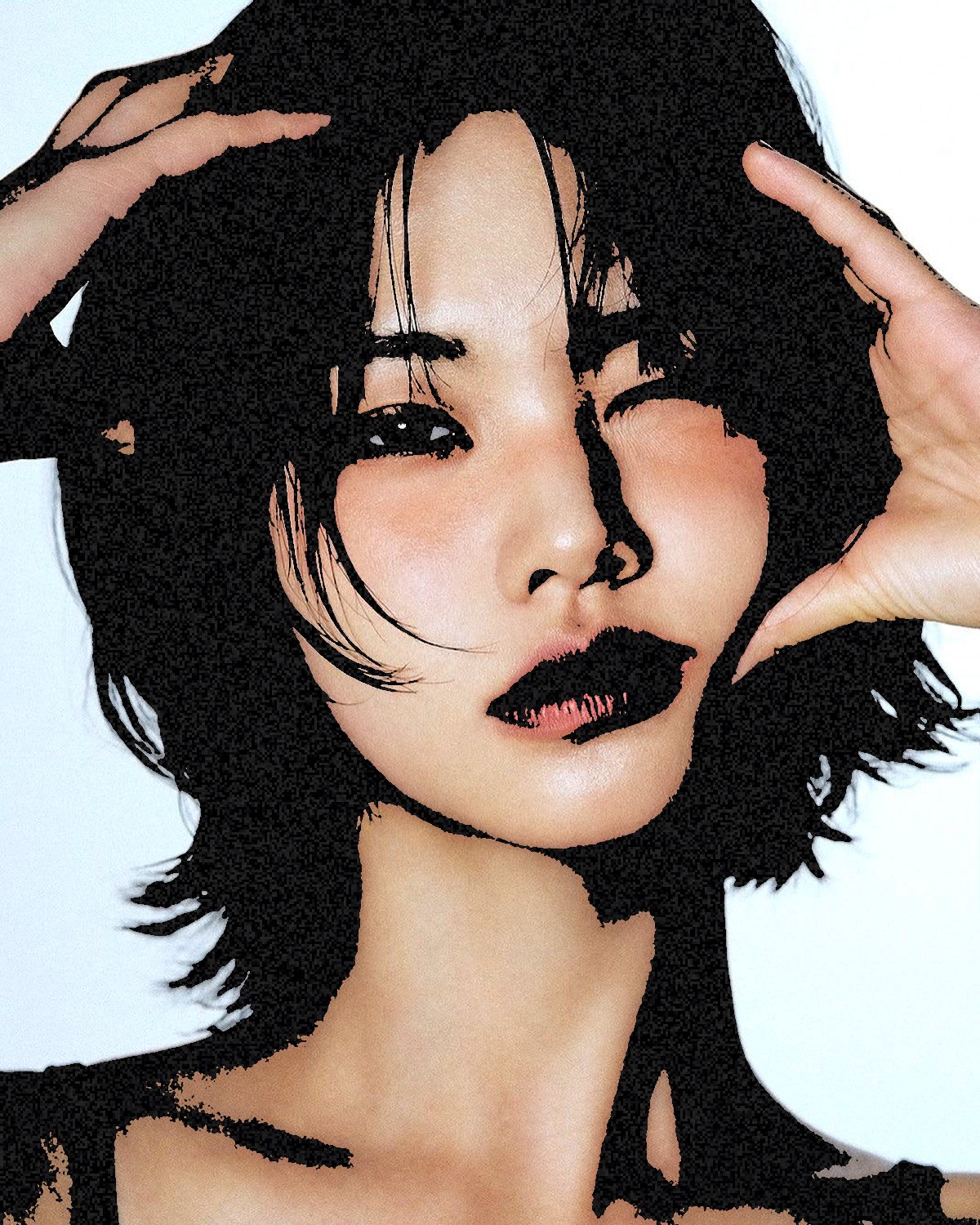
Color Photocopy Effect
Color Threshold filter · 5 presets · Photoshop, Affinity, Figma
Best for Color Xerox prints with grit
A color copier's toner breaking up along the tones, while the photo keeps its color.

TV Glitch Effect
Broadcast filter · 5 presets · Photoshop, Affinity, Figma
Best for Broadcast errors and interlaced frames
The faults of real TV formats: combed fields, dot crawl and rainbowing on fine detail.

Star Filter Effect
Starlight filter · 4 presets · Photoshop, Affinity, Figma
Best for Sparkle, night shots and Y2K glam
Cross-screen star streaks thrown off the highlights at one fixed angle, like a scored glass filter on the lens.
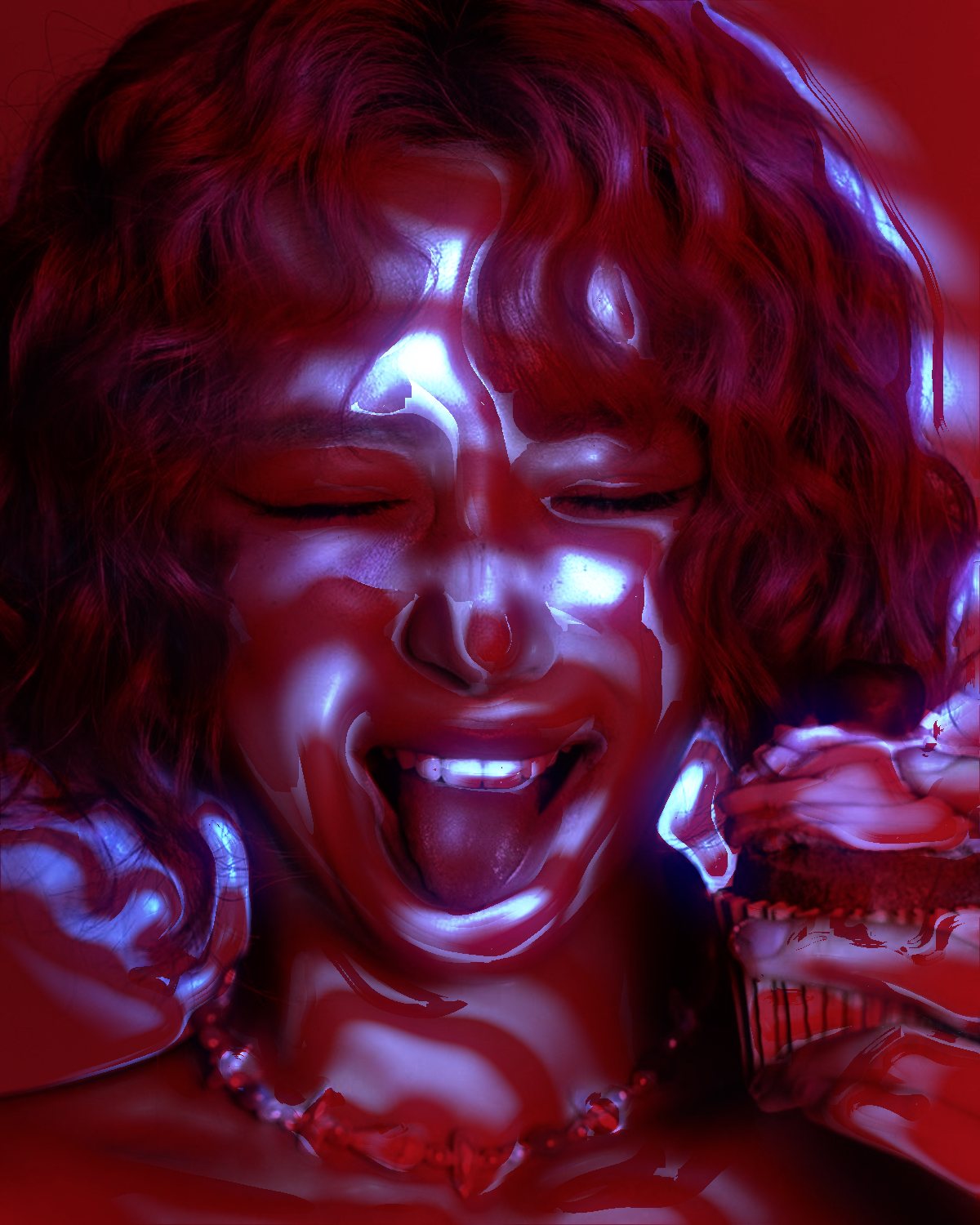
Light Projection Effect
Shadow Cast filter · 9 presets · Photoshop, Affinity, Figma
Best for Gobo-lit portraits and moody studio looks
Throws a pattern onto the subject like a cut-out in front of a lamp: blinds, a window, polka dots or caustic water, bent round the face by its depth. In Photoshop your own type or logo can be the cut-out.

Rim Light Effect
Rim Light filter · 8 presets · Photoshop
Best for Portraits, album covers and posters that need a lit edge
Rim lighting the way designers paint it by hand: a hot contact line, a soft rim, bloom and a glow behind, only on the edges that face the light. In Photoshop, Select Subject finds the subject for it, and the light drags round on the picture.
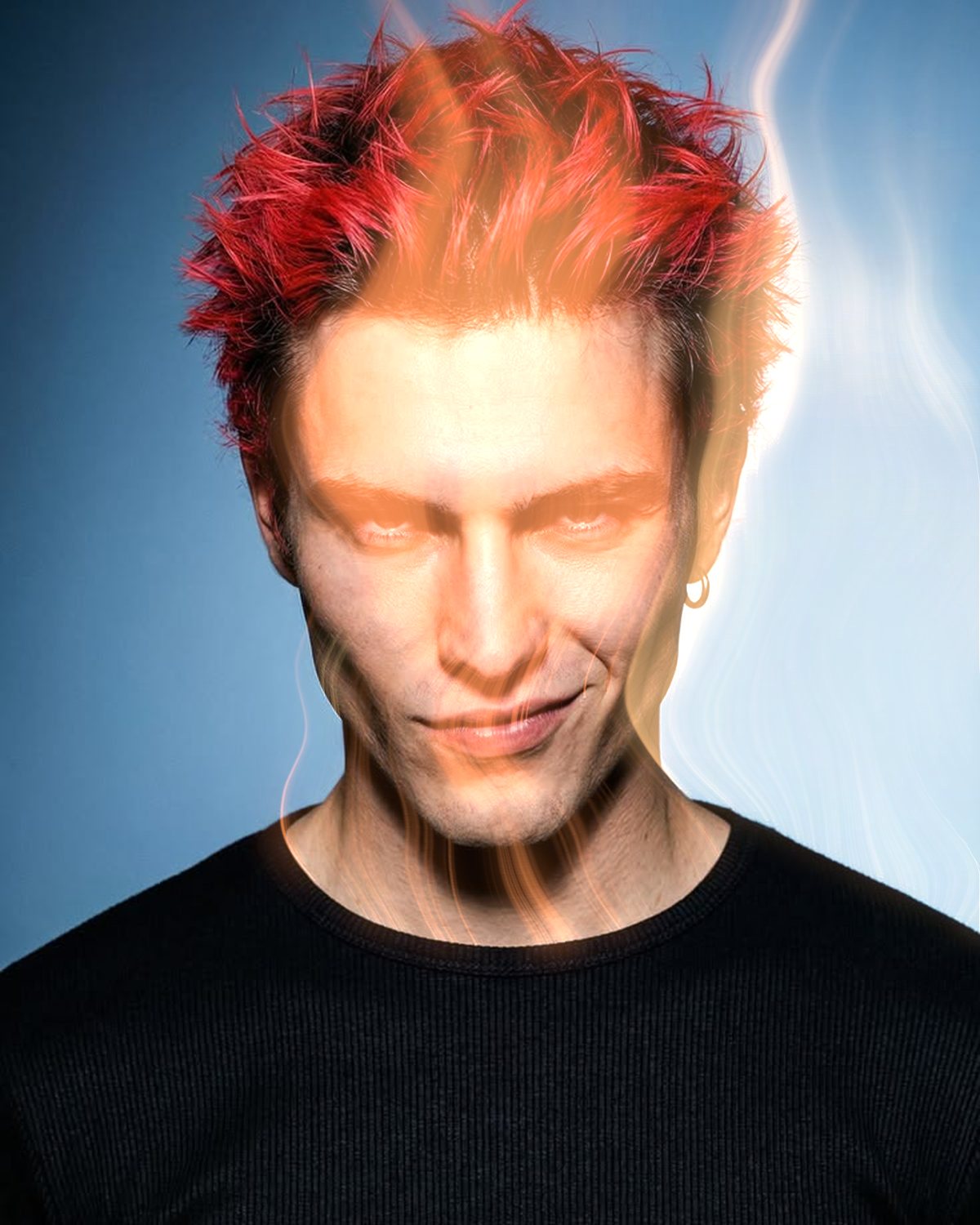
Smoke Effect
Mist filter · 4 presets · Photoshop, Affinity, Figma
Best for Smoky, ethereal and dry-ice atmospheres
The highlights steam away into wisps of gas carried off by the wind, from a faint breath to a gale. Tint it warm like an ember or cool like dry ice.

Depth Gradient Effect
Light Map filter · 5 presets · Photoshop, Affinity, Figma
Best for Gradient-mapped portraits and heat-style color
Paints the photo through a spectrum by distance from a dot you place, so the nearest point takes the first color and the farthest the last. Band it for a thermal look or keep it smooth.

Prism Lens Effect
Ghost Lens filter · 5 presets · Photoshop, Affinity, Figma
Best for Dreamy rainbow edges around a sharp subject
Bulges the centre toward you and smears the edges into rainbow ghosts, like shooting through a prism.

Glass Refraction Effect
Glass Slice filter · 3 presets · Photoshop, Affinity, Figma
Best for Fluted and shattered glass
Cuts the photo into refracting facets with color dispersion and a bright edge on every cut.

Acid Blur Effect
Acid Blur filter · 3 presets · Photoshop, Affinity, Figma
Best for Y2K and acid-graphics posters
Melts the subject into a spectral glow with a printed screen over it, so it reads as print, not a soft-light glow.

Melt Effect
Decay filter · 7 presets · Photoshop, Affinity, Figma
Best for Surreal dripping and torn portraits
Drags the photo along its own tones in many small steps, so it tears and streams along curves.

Smear Effect
Smudge filter · 4 presets · Photoshop, Affinity, Figma
Best for Painterly smears and combed textures
A shaped brush decides what survives, turning photos combed, swollen or smudged.

Metaball Effect
Acid filter · 6 presets · Photoshop, Affinity, Figma
Best for Liquid blob graphics
Grows blobs on a chosen color that fuse like liquid instead of stacking.
35 – 43
Background generators.
These need no photo. Each draws a pattern or texture to use as a background or lay over your own work.

Op Art Background
Warp Field generator · 6 presets · Photoshop, Affinity, Figma
Best for Psychedelic stripe backgrounds
Op-art stripes, rings and pinwheels bent through ripple and swirl. Two flat colors, print-ready.
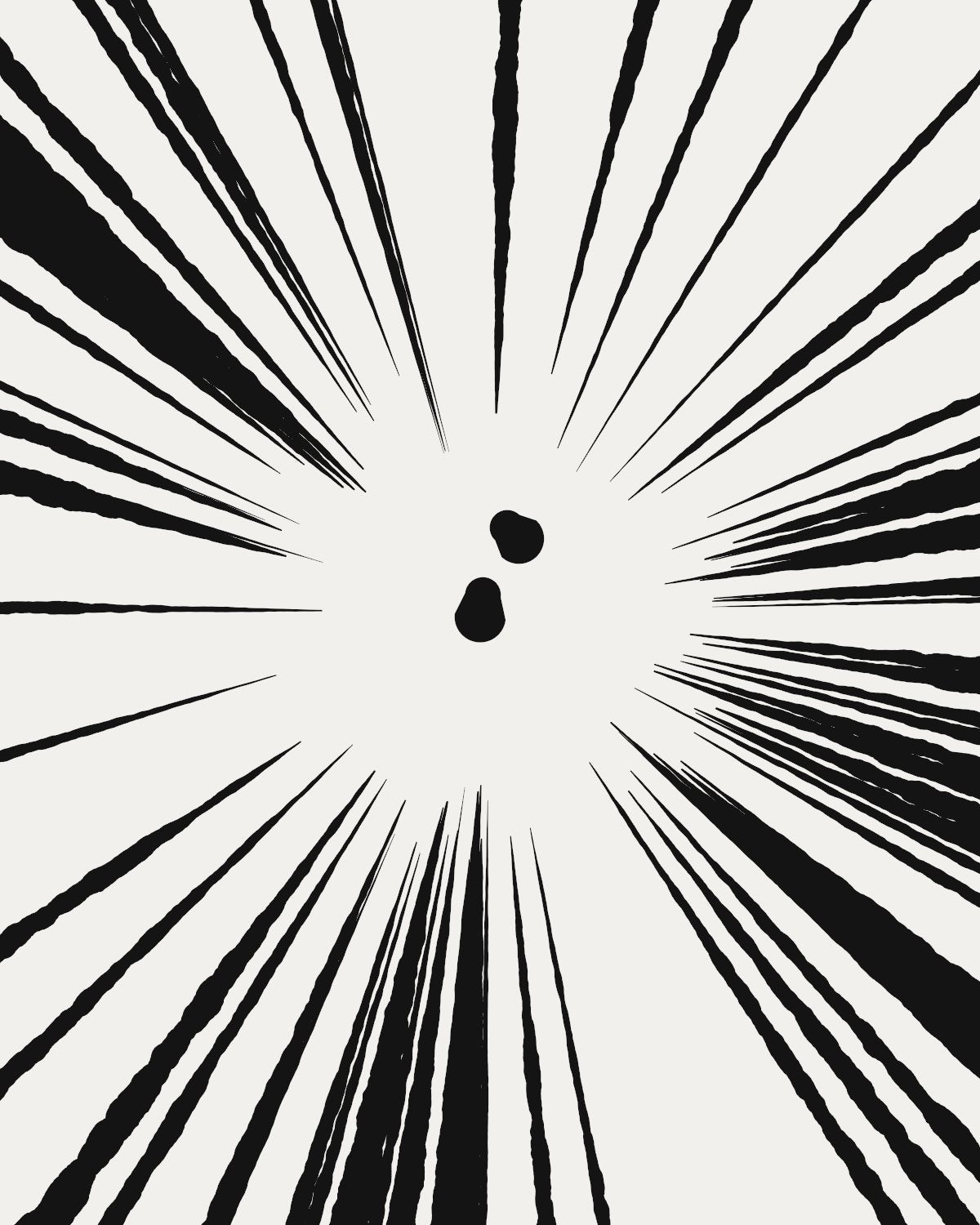
Speed Lines Background
Burst generator · 4 presets · Photoshop, Affinity, Figma
Best for Manga impact frames and radial bursts
Inked speed lines around a clean centre, shards or a swirled field.

Light Streak Background
Prism Streaks generator · 3 presets · Photoshop, Affinity, Figma
Best for Album covers and posters with prism rays
Streaks of light that split into the spectrum over a smooth or banded gradient.

Aurora Gradient Background
Aurora generator · 3 presets · Photoshop, Affinity, Figma
Best for Glowing gradient backdrops for covers and UI
Soft blobs of light with white-hot cores that swirl into ribbons. Grain stops the banding.

Guilloche Pattern
Guilloche generator · 5 presets · Photoshop, Affinity, Figma
Best for Banknote, ticket and certificate textures
Layers of fine repeating lines whose interference makes the pattern, like security printing.

CRT Screen Texture
CRT Texture generator · 6 presets · Photoshop, Affinity, Figma
Best for Scanline overlays
An empty TV screen to lay over your own work: scanlines, shadow mask, moire and burn-in.

Photocopy Texture
Photocopy Noise generator · 10 presets · Photoshop, Affinity, Figma
Best for Copier-noise overlays
The streaks and bands a copier leaves on a blank sheet, at physical scale.

Xerox Texture
Xerox generator · 10 presets · Photoshop, Affinity, Figma
Best for Folded, copied paper backgrounds
A printed sheet folded and copied, with split creases, torn edges and pinholed blacks.

Fingerprint Pattern
Fingerprints generator · 9 presets · Photoshop, Affinity, Figma
Best for Forensic and ridge-pattern graphics
Fingerprint ridges built the way forensics classifies them: loops, whorls and arches.
What to look for in a Photoshop filter plugin.
Whichever plugin you choose, these are the things that separate a filter you'll keep using from one you try once:
- A live preview on your own image. Judging a look from a sample photo tells you very little.
- Settings you can push. Presets are a start; the look you want is usually two sliders away from one.
- Your original kept safe. Filter Archive puts every result on a new layer and leaves the original untouched.
- Stacking. Two filters in sequence (a halftone over a thermal palette, say) make looks neither can alone.
- Mac and Windows, current Photoshop. Filter Archive needs Photoshop 2024 or newer.
If you also work in Affinity or Figma, check whether the licence follows you. Filter Archive's does: one licence covers Photoshop, Affinity and Figma.
Questions, answered.
What is the best filter plugin for Photoshop?
It depends on the look. For print, screen, glitch and drawing effects, Filter Archive puts 43 filters in one plugin, including halftone, dither, CRT, VHS, thermal and ASCII, each with presets and a live preview. For painterly media like watercolor, Photoshop's own Filter Gallery is still the place to start.
Are these 43 separate plugins?
No. They are 43 filters inside one plugin, Filter Archive, so you install once and get all of them, plus new filters as they ship.
Which version of Photoshop do they need?
Photoshop 2024 or newer, on Mac or Windows.
How much does it cost?
$59.99, paid once. That is lifetime access to every filter, all three apps and new filters as they ship.
Keep reading.
All 43 effectsFilter Archive
43 filters, one plugin.
Halftone, dither, CRT, VHS, thermal, ASCII and 37 more, with a live preview and 235 presets. Photoshop 2024 or newer on Mac and Windows, plus Affinity and Figma on the same licence.