
 Affinity 3
Filter Gallery for Affinity.
42 filters and background generators in one plugin window: halftone, risograph, CRT, VHS, thermal, ASCII and more. Live preview, every setting editable, on Mac and Windows.
Try it inside Affinity
Move a slider. It's live.
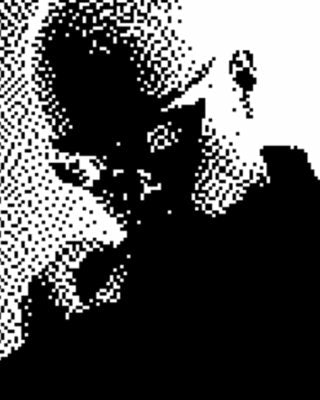
This is the real CRT filter from Filter Archive, running right here over a real Affinity window. Push the sliders, pick a phosphor color, then press Apply. On a computer you can drag the window around too.






Why it exists
Affinity never had a Filter Gallery.
Photoshop users reach for its Filter Gallery when they want a look fast. Affinity doesn't come with one, so print, glitch and screen looks usually mean building them by hand, one adjustment at a time.
Filter Archive puts 42 of those looks in one panel inside Affinity. Every filter has real settings you can push, a live preview while you drag them, and presets to start from, so a halftone poster or a CRT screen is a few seconds instead of an afternoon.
- 42 effects: 33 photo filters and 9 background generators
- 226 presets to start from
- Live preview in the plugin window
- Stack filters like layers and save your stacks
- Affinity 3 on Mac and Windows
The gallery
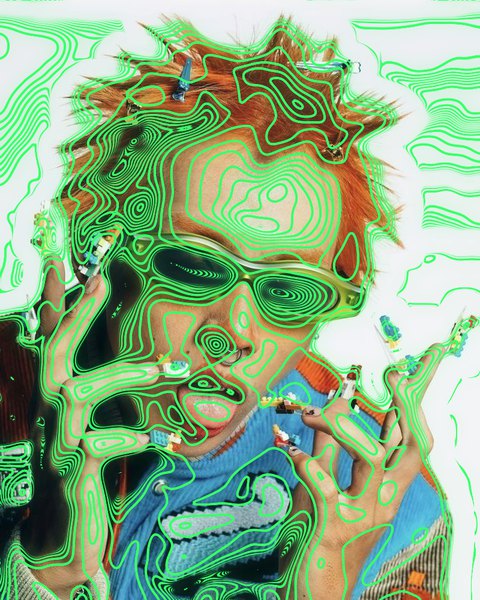
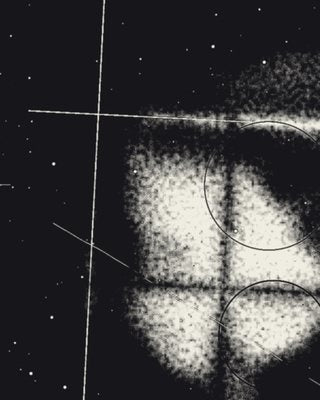
42 filters, one window.
Hover a photo filter to see the original underneath. Browse every effect up close



















































Up and running
From the Filters menu to a finished look.
No actions to record, no presets to hunt down. It lives in Affinity's own Filters menu and works on the layer you already have.
- 01
Run the installer
The .pkg on a Mac, the Setup .exe on Windows. Third-party plugins get switched on for you.
- 02
Filters ▸ Plugins ▸ Filter Archive
Pick a pixel layer first. Text and vector layers need rasterizing.
- 03
Drag, stack, apply
Watch the preview as you drag, stack more looks, then apply it to the layer.
Pricing
Pay once, own it.
One payment covers Affinity, Photoshop and Figma. Checkout is by Stripe and the download lands in your inbox.
Affinity 3 on Mac and Windows. Also runs in Photoshop 2024 or newer and in Figma.
- All 42 filters and generators
- Photoshop, Affinity and Figma
- New filters as they ship, free
- One payment, yours to keep
FAQ
Affinity questions, answered.
Is there a Filter Gallery for Affinity?
Affinity doesn't come with anything like Photoshop's Filter Gallery, and Filter Archive fills that gap. It's a filter gallery for Affinity 3 in one plugin: 42 effects including halftone, risograph, CRT, VHS, thermal and ASCII, each with a live preview and every setting editable. It runs on Mac and Windows.
Which versions of Affinity does it work with?
Affinity 3, on Mac and Windows. On Windows it needs Microsoft Edge WebView2, which Windows 11 already has; the installer offers the download if your PC doesn't.
How do I install it in Affinity?
Quit Affinity and run the installer from your purchase email: the .pkg on a Mac or the Setup .exe on Windows. It installs for your user only, with no administrator password, and turns on Affinity's setting for third-party plugins. Then reopen Affinity.
Where do I find Filter Archive in Affinity?
Select a pixel layer and choose Filters ▸ Plugins ▸ Filter Archive. If it isn't listed, quit and reopen Affinity, since it only loads plugins at launch.
Does it work on text and vector layers?
Filter plugins in Affinity work on pixels, so rasterize text, shapes and vectors first with Layer ▸ Rasterize. Duplicate the layer before you rasterize if you want to keep it editable.
Will it change my original layer?
Yes. Like any Affinity filter it applies to the layer you run it on, so duplicate the layer first to keep the original. Undo works as usual.
Windows says it protected my PC. Is the installer safe?
The Windows installer isn't code-signed yet, so SmartScreen shows that warning on a downloaded copy. Click More info, then Run anyway. The Mac installer is signed and notarized by Apple.
Does the same licence work in Photoshop and Figma?
Yes. One purchase covers the Affinity, Photoshop and Figma versions. Sign in to each with the email you bought with and we send you a 6-digit code.
How many computers can I use it on?
Three computers for Affinity and Photoshop together, and another three for Figma.
Does it work offline?
Yes. The filters render on your own computer, and the plugin only needs to check in online once every 7 days.
How much does it cost?
$59.99, paid once. That's lifetime access to every filter, all three apps and new filters as they ship.
