
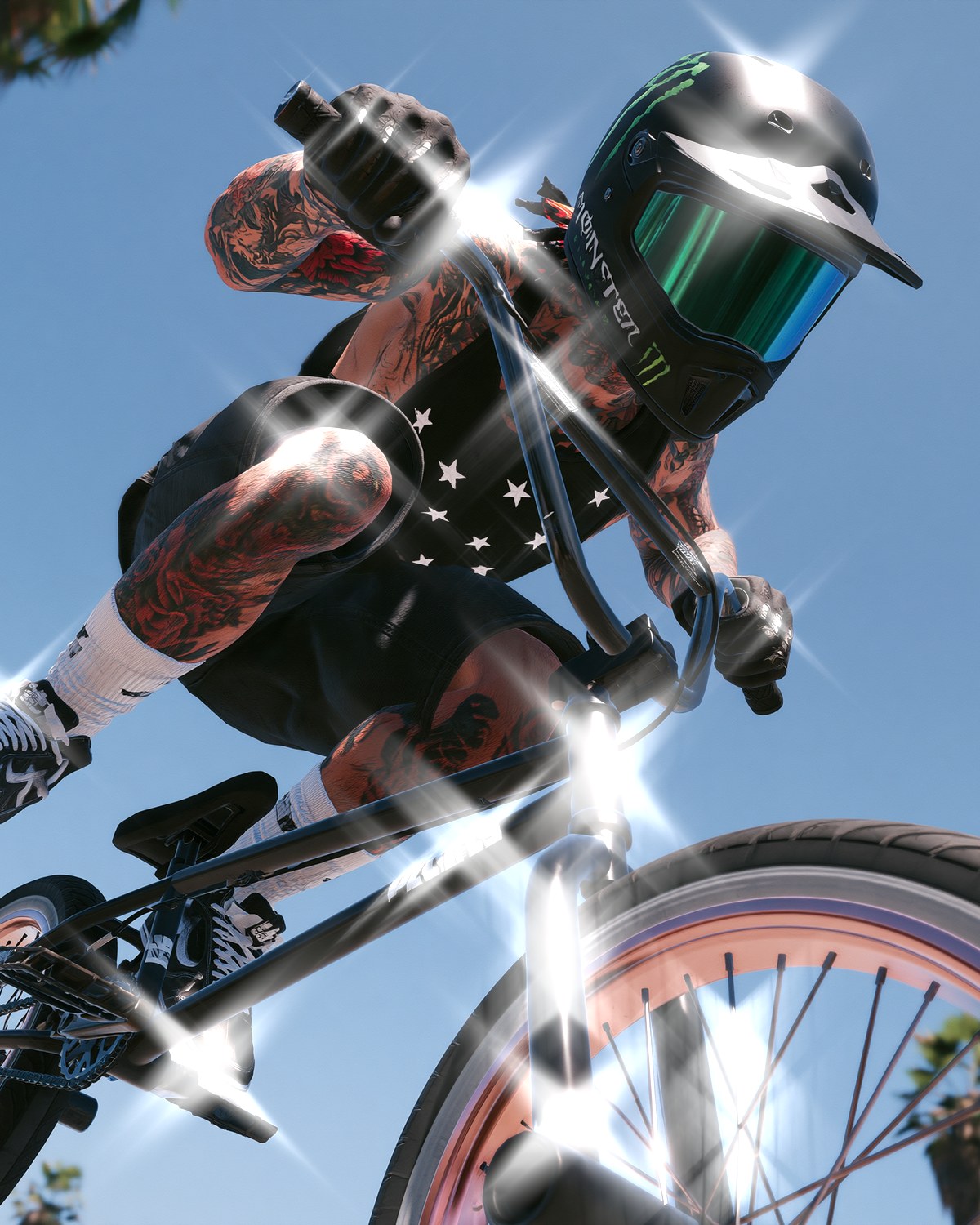


Each look below is one filter and a preset, sometimes with a second filter stacked on top. Click through for eight more examples of each.
1. Riso poster

Two inks, a line screen and a dot screen: the look of a risograph print. Start from Dual Halftone's Two Color preset and swap the Shadow Ink and Highlight Ink for your own pair. Halftone effect →
2. Zine cover

A page run through a color copier: the shadows crushed to speckled toner, the color kept and pushed harder. Start from Color Threshold's Xerox preset; Brightness decides how much of the picture goes dark. Hard Copy closes the speckle right down for a clean, flat cut. Color photocopy effect →
3. Retro game sprite

Four greens and a coarse pixel grid. Bitmap's Handheld preset does it in one click; Scale sets how chunky the pixels are. Dither effect →
4. Phosphor screen

The picture rebuilt on a glowing tube. Terminal Green and Blown Phosphor push it into a single hot green; Consumer TV keeps the photo's color with fat pixels, heavy bloom and a curved face. CRT effect →
5. Glitch cover art
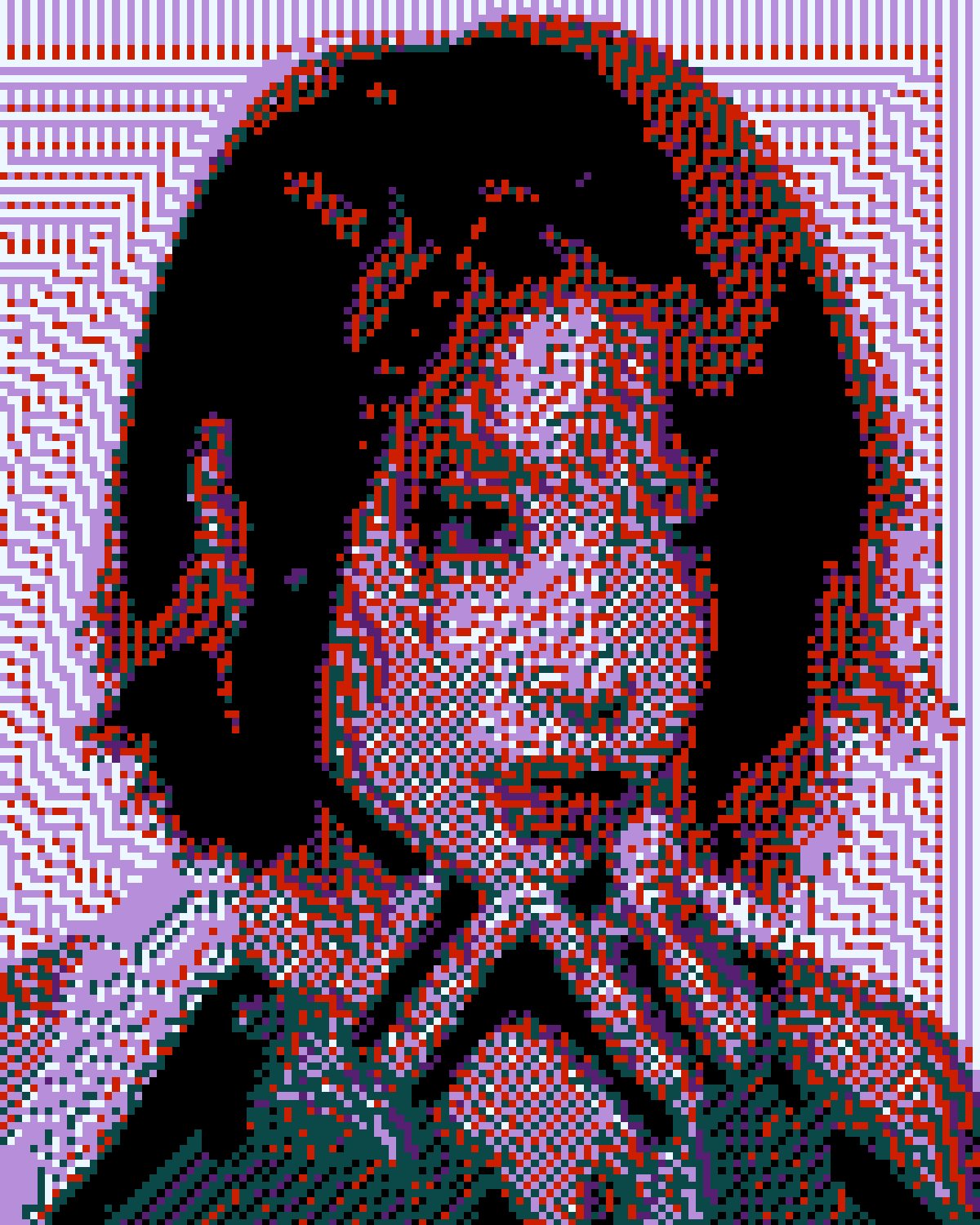
A file that broke on the way down: the picture falls apart into the few colors that survive it, with broken dithering and error leaking into the blacks. Sunset Cross turns it into flat silhouettes and pixel patterns; Broken Download leaves the bottom of the photo intact under a half-loaded front. Corruption sets how far gone it is. Corrupted image effect →
6. RGB split portrait

The color channels pulled apart for a fashion or editorial feel. Hard Split is graphic; the Lens kind is the subtle fringe of a real lens. Chromatic aberration effect →
7. ASCII poster

The photo rebuilt from characters, for tees, zines and club flyers. Plotter sets it in fine, dense type like ink on paper; Terminal builds the tones from the choice of glyph in tall cells. Characters swaps the set, from ASCII to Blocks or Binary. ASCII art effect →
8. Y2K sparkle

Stars thrown off every highlight, like a scored glass filter on the lens: the music-video sparkle. Whole Frame drops the threshold so the midtones sparkle too; Anamorphic is one long horizontal flare. Points sets how many arms each star has. Star filter effect →
9. Embossed relief
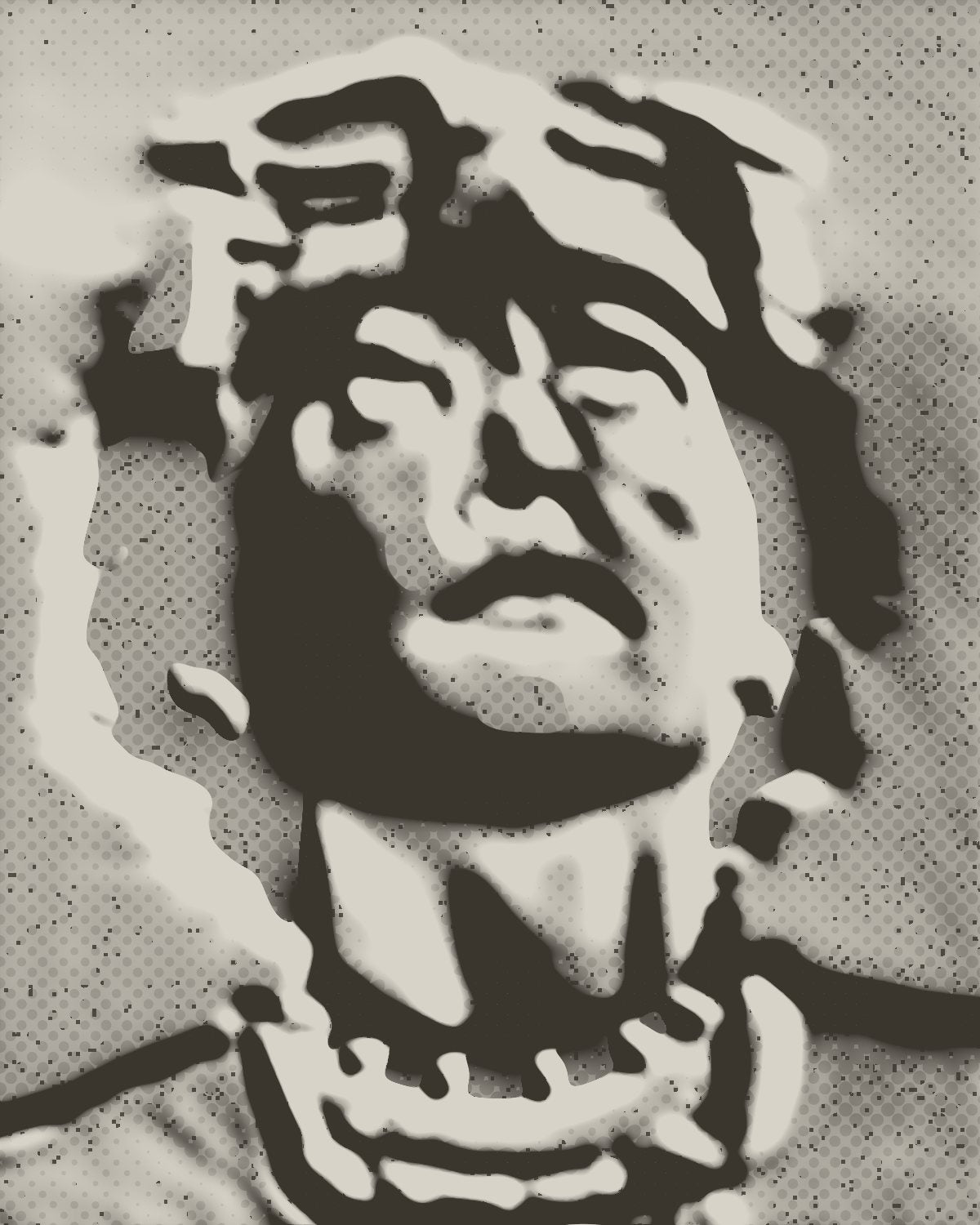
The picture read as height and lit from one side, like a cast or a blind-stamped cover. Plaster is deep and soft, a cast rather than a print; Blind Foil is a shallow emboss on smooth card. Lower Elevation and the light rakes across and finds every ripple. Emboss effect →
10. Rim-lit portrait

A line of light round the edge of the subject, as if a lamp stood behind it: the poster and cover lighting designers usually paint by hand. Photoshop's Select Subject finds the edge for you. Neon Duo lights it pink from one side and cyan from the other; Golden is a warm sunset rim. Set Background to Color for a dark studio. In the Photoshop plugin for now. Rim light effect →
11. Magic glow

The editorial glow: highlights softened and wrapped in a wide halo of their own color. Subtle keeps it believable, Warm is golden-hour bloom, and Neon hangs every sign and lamp in a haze of its own hue. Soft glow effect →
Make your own looks
Most of the looks above get better with a second filter. Stack them in the Filter Archive panel, reorder until it clicks, then save the stack so the next image takes one click. See all 43 effects or the ranked list of the best Photoshop filters.