
Smoke effect
Highlights dissolve into wind-blown wisps of gas that trail off in one direction.


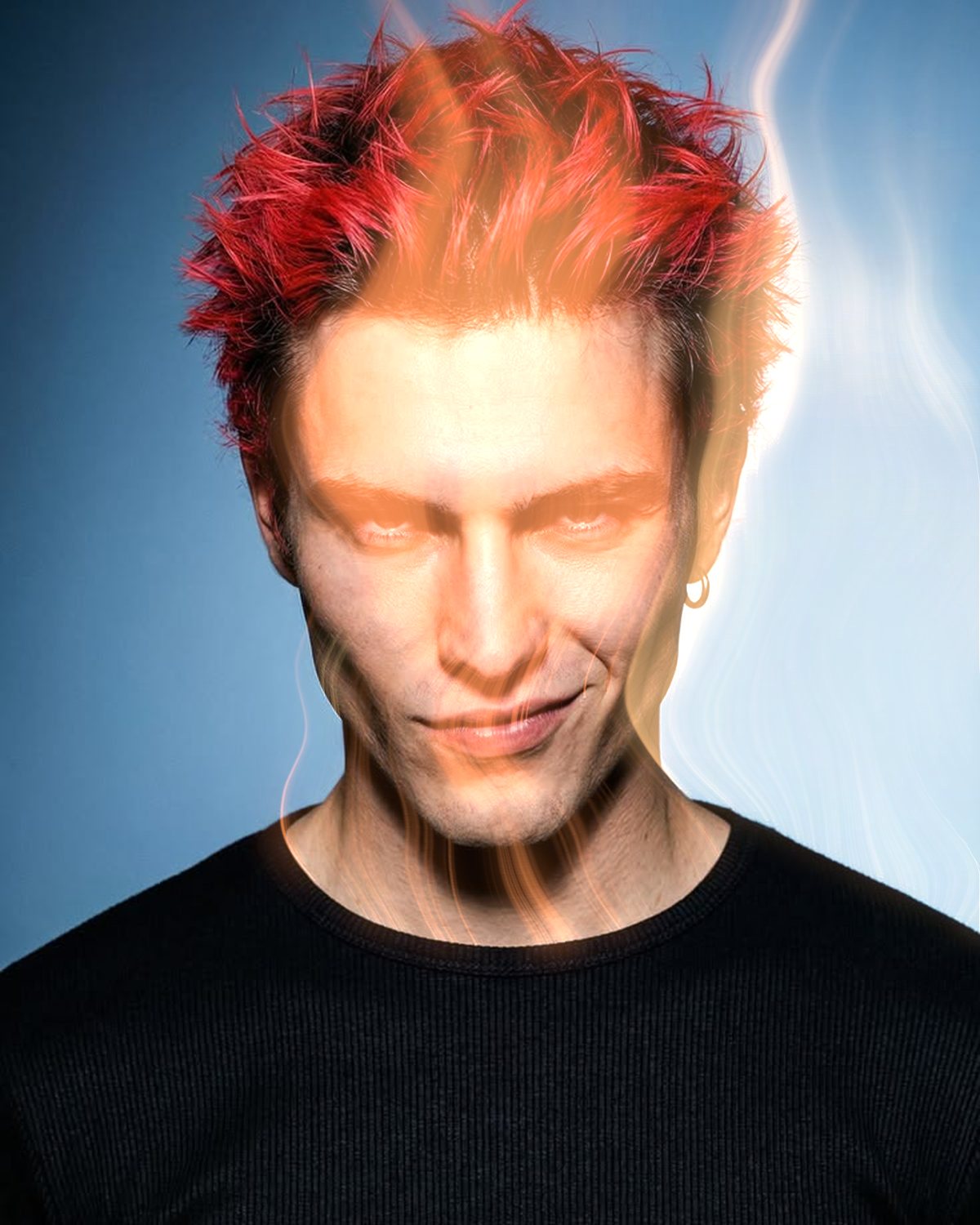 BeforeAfter
Mist lets the light in your photo steam away. The highlights give off wisps of gas that the wind carries off in one direction, curling as they go, from a faint breath to a gale. Tint it warm for smoke off an ember or cool for dry ice, or output the mist alone to blend over the picture yourself.
- 4presets
- 8settings
- 3apps
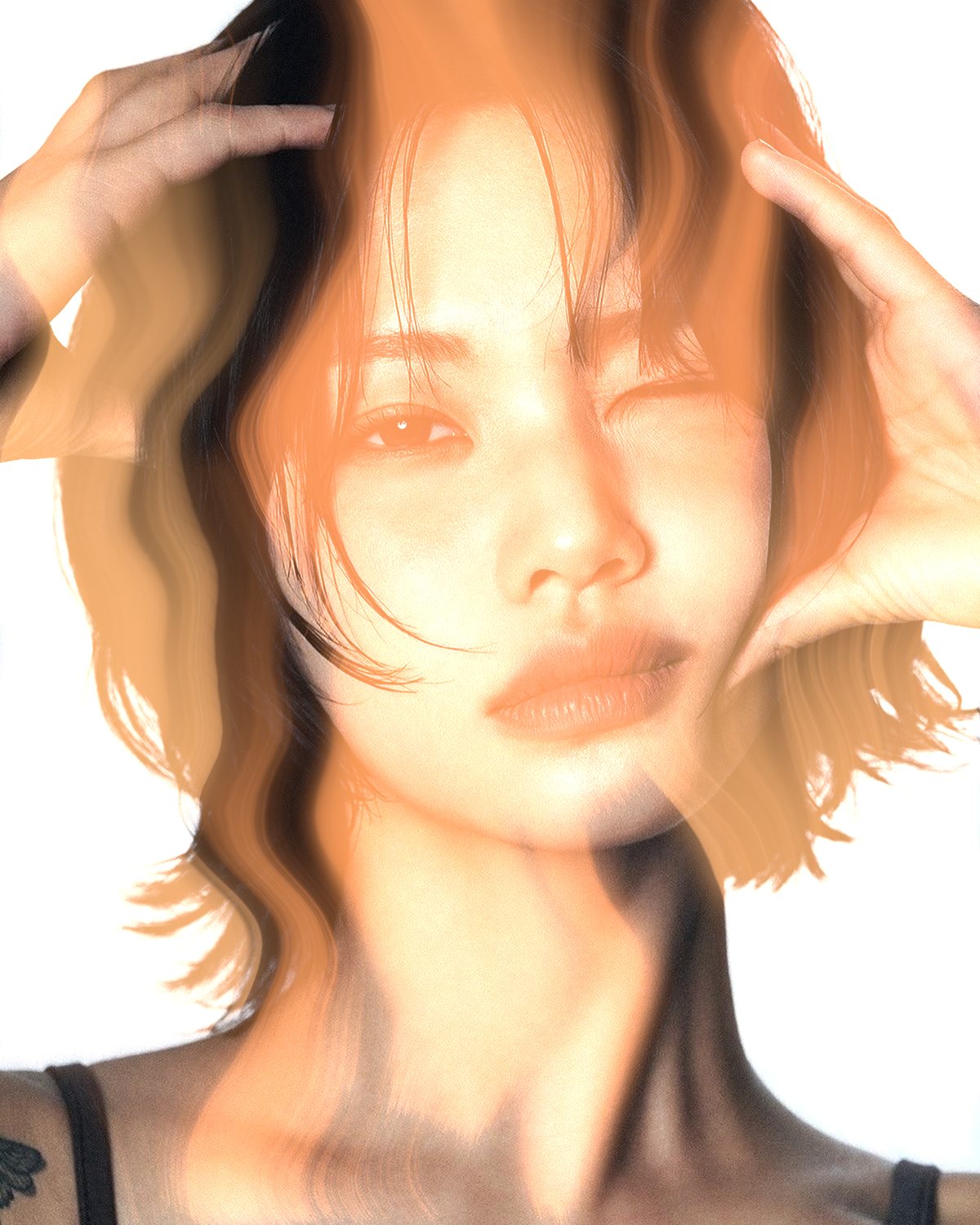
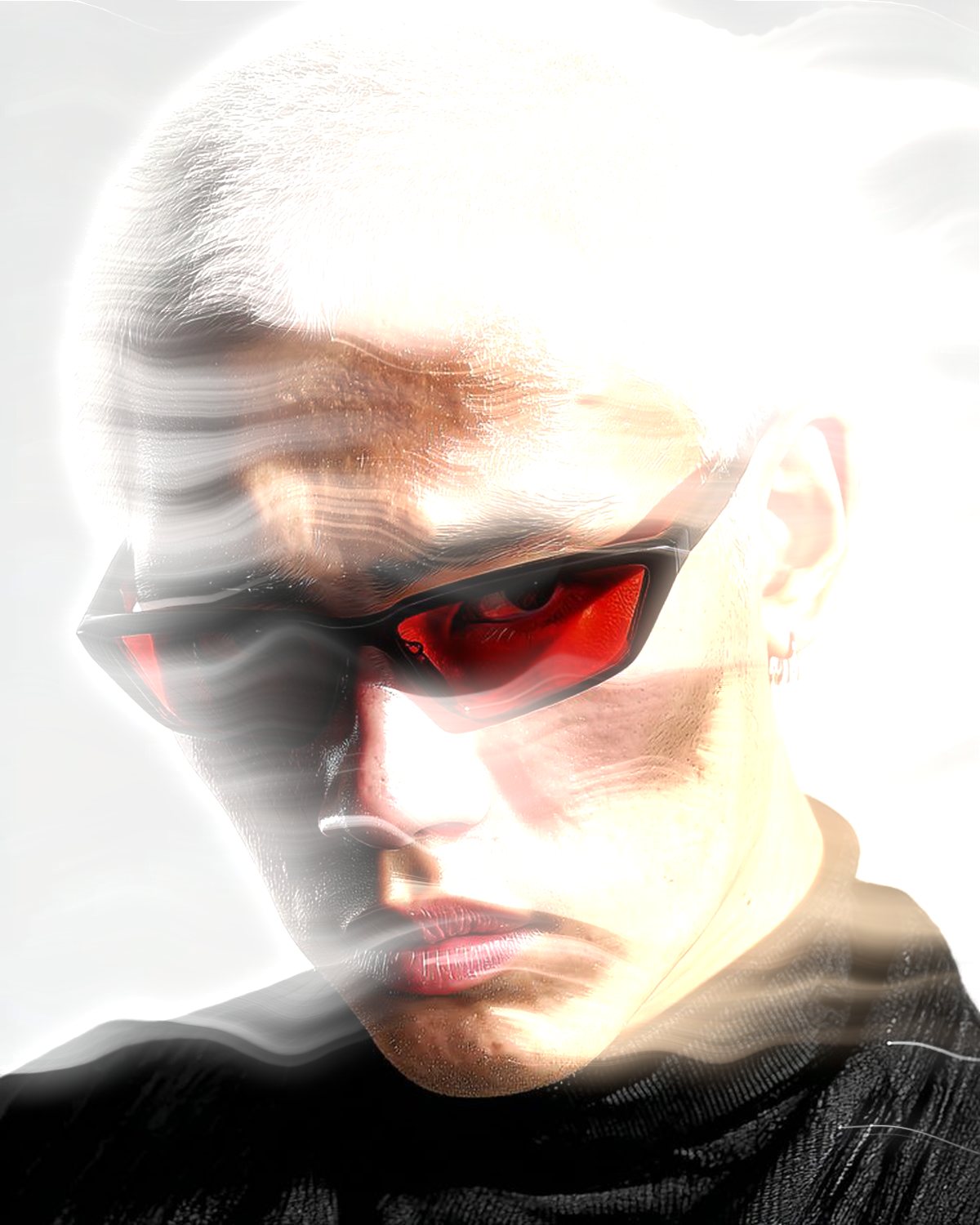
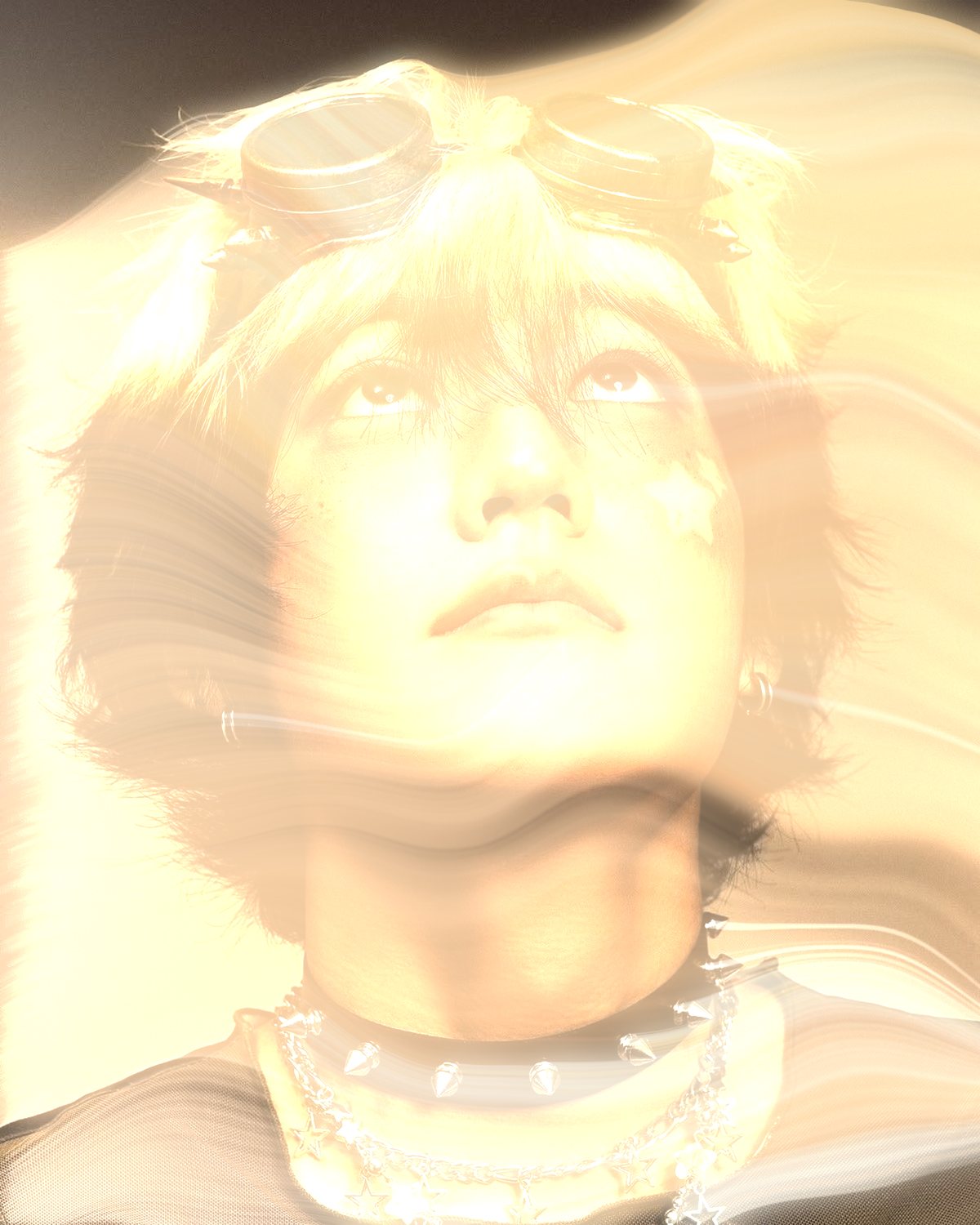
Same effect, different presets.
8 photos, each with its own preset. Try it on yours




Use the smoke effect in Photoshop, Affinity or Figma.
One licence covers all three: $59.99, paid once. See pricing
Photoshop
Open Filter Archive from the Plugins menu, pick Mist and press Apply. The result lands on a new layer above your original.
Mac & Windows · Photoshop 2024+Affinity
Choose Filters, Plugins, Filter Archive on a pixel layer, pick Mist and apply it to that layer.
Mac & Windows · Affinity 3Figma
Select an image, frame or shape, run Filter Archive and apply Mist as a new layer or in place.
Figma CommunitySettings worth touching.
- LengthWind
- How far the gas travels before it fades out.
- AngleWind
- The direction the wind blows. The mist leaves every highlight this way.
- TurbulenceWind
- How much the wind eddies. Zero is a clean straight trail; high and the gas curls back on itself.
Plus 5 more in the panel, all editable after you pick a preset.
Smoke Effect questions.
What is a smoke effect?
A smoke effect adds drifting smoke, mist or vapor to an image. Here it comes off the picture's own highlights and trails in one direction, as if the subject were steaming in the wind.
How do I make a smoke effect in Photoshop?
Open Filter Archive from the Plugins menu and choose Mist. Start from a preset such as Breath or Gale, adjust the settings while the preview updates, then press Apply. The result goes on a new layer and your original stays untouched.
Can I use it in Affinity or Figma?
Yes. The same Mist filter runs in Affinity 3 on Mac and Windows, from Filters, then Plugins, then Filter Archive on a pixel layer, and in Figma on an image, frame or shape. One licence covers Photoshop, Affinity and Figma.
Which presets come with Mist?
4 presets: Breath, Gale, Ember and Dry Ice. Every setting stays editable after you pick one, and you can save a stack of filters to use again.
Can I change the colors?
Yes. Mist has Tint color controls, so you can set them to any color, including your own palette.
Related effects.
See all 42



Your photos next
Make a smoke effect yourself.
Mist and 41 more effects in one plugin window, with a live preview and 226 presets. One licence covers Photoshop, Affinity and Figma.